If your website matters to your customers, then “good enough” design usually costs more than it saves. When you compare DIY builds to professional work, the difference isn’t just visual polish-it’s clarity, accessibility, conversion-minded structure, and fewer expensive rewrites later.
As I review web projects, people usually ask: What exactly does a professional designer do beyond picking a theme? Where does the budget go (and what can go wrong with DIY)? And how do we know we’re getting value instead of just paying for aesthetics?
According to research from the Nielsen Norman Group, better user experience reduces friction and improves outcomes-meaning design decisions directly affect real business results. Similarly, W3C’s accessibility guidance explains why accessibility isn’t a “nice-to-have”: it expands usability for more people and reduces barriers.
In this guide, I’ll break down why professional web design matters, how to think about cost vs. value, what you can expect from a designer, and how teams typically measure success-so you can choose a path that’s likely to age well.
Why professional design matters
Design is not decoration. It’s a decision system: how information is organized, how users move, and how your brand communicates trust. A professional designer brings experience across common failure points-like unclear page hierarchy, inconsistent typography, weak mobile layouts, and accessibility oversights.
Key advantages you’re paying for:
- Better information hierarchy: users find the next step faster.
- Usability and readability: layouts that work on small screens and under real user conditions.
- Accessibility fundamentals: color contrast, keyboard navigation considerations, and legible structure.
- Conversion-minded structure: calls-to-action that match visitor intent, not just site goals.
- Fewer “redo cycles”: fewer rewrites because decisions were made earlier with constraints in mind.
Cost vs. value considerations
DIY can be a reasonable starting point-but only when your goals and constraints are clear. The cost question is rarely “Which is cheaper today?” It’s usually “Which option reduces costly rework later?”
| Decision criteria | DIY web design | Professional web design |
|---|---|---|
| Time to launch | Often faster initially, but delays happen when design issues surface | More upfront planning, usually a clearer path to a predictable delivery |
| Quality consistency | Higher variance-one-off fixes can create new inconsistencies | Systems and standards reduce drift across pages |
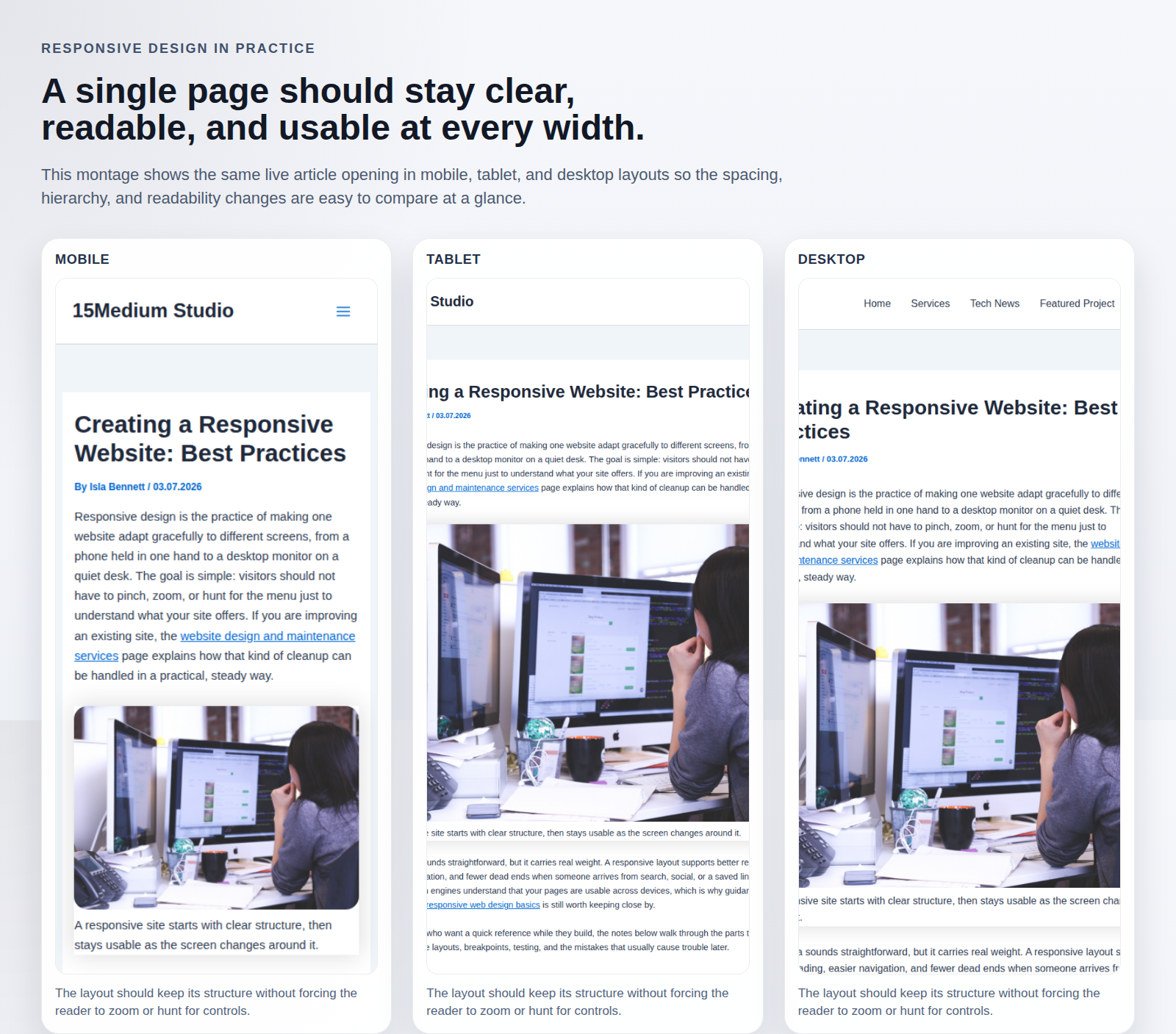
| Mobile experience | Common gaps in spacing, type scale, and navigation patterns | Responsive layout decisions built in from the start |
| Accessibility and usability | Easy to miss fundamentals without a checklist | Design processes that account for user needs |
| Long-term maintenance | You may inherit complexity if your theme/editor choices don’t scale | Cleaner structure makes updates less risky |
Practical takeaway: if your website is tied to sales, leads, reputation, or hiring, the “value” part usually shows up in what you avoid: lost conversions, frustrated users, and expensive redesigns.
What to expect from a professional designer
Before you hire, it helps to know what “professional” looks like in process-not just in finished screens. Here’s a reasonable expectation for quality work:
1) Discovery that maps to user intent
- Clarifies your target visitor and their top questions.
- Defines the site’s information structure (what goes where and why).
2) Design standards that keep the site coherent
- Typography, spacing, and component rules.
- Consistent navigation patterns and page templates.
3) Responsive and accessible by default
- Mobile layouts treated as first-class, not an afterthought.
- Legible design choices and accessibility checks.
4) A plan for content and conversion
- Calls-to-action aligned with visitor intent (not random buttons).
- Guidance for content clarity so pages read easily.
5) Implementation support and maintenance handoff
- Clear setup and documentation.
- Ongoing updates that don’t keep breaking the design.
If you’re also thinking about ongoing support, it may help to review website design and maintenance services and how maintenance reduces long-term risk.
Case studies: what “better” looks like in practice
Real improvements usually show up in measurable and observable ways-especially around clarity and mobile usability. Here are two practical patterns that commonly occur when teams move from DIY to professional work.
Case study A: Clear hierarchy improves lead flow
A small business website often fails because visitors can’t quickly identify: what you do, who it’s for, and how to contact you. Professional design tends to reorganize pages so the next step is obvious within seconds-then reinforces it with consistent CTAs.
For a broader overview of how UX improvements can drive outcomes, see Nielsen Norman Group’s UX benefits.
Case study B: Mobile readability reduces friction
DIY websites frequently look fine on desktop but struggle on phones: oversized headers, cramped navigation, and text that’s hard to scan. Professional design typically corrects the structure-so mobile visitors can navigate, understand, and act without extra effort.
For guidelines on building accessible, readable web content, refer to the W3C accessibility standards and guidelines.
Conclusion
Hiring a professional web designer is usually the best fit when you want the website to perform, not just exist. The core value is a more reliable design system: clarity for visitors, a better mobile experience, accessibility fundamentals, and fewer expensive redesign cycles.
Decision path (quick):
- If your website supports leads or revenue, and you can’t afford frequent rewrites, choose professional design.
- If your goal is a simple informational page and you accept tradeoffs, a DIY approach may be workable-just use usability and accessibility checklists.
When you’re ready to compare options, you can also learn more about how 15medium approaches projects on the about page, then decide what level of support fits your timeline and risk tolerance.
Key takeaways
- Professional design improves clarity, usability, and conversion structure.
- Cost comparisons should include rework risk, not only launch speed.
- Expect discovery, design standards, responsive and accessibility fundamentals, and a practical handoff.